Available for Linux
Plain text tasks,
rendered beautifully.
Write markdown in the editor, watch it render live beside you. Your todos live in files you own — no database, no cloud, no lock-in.
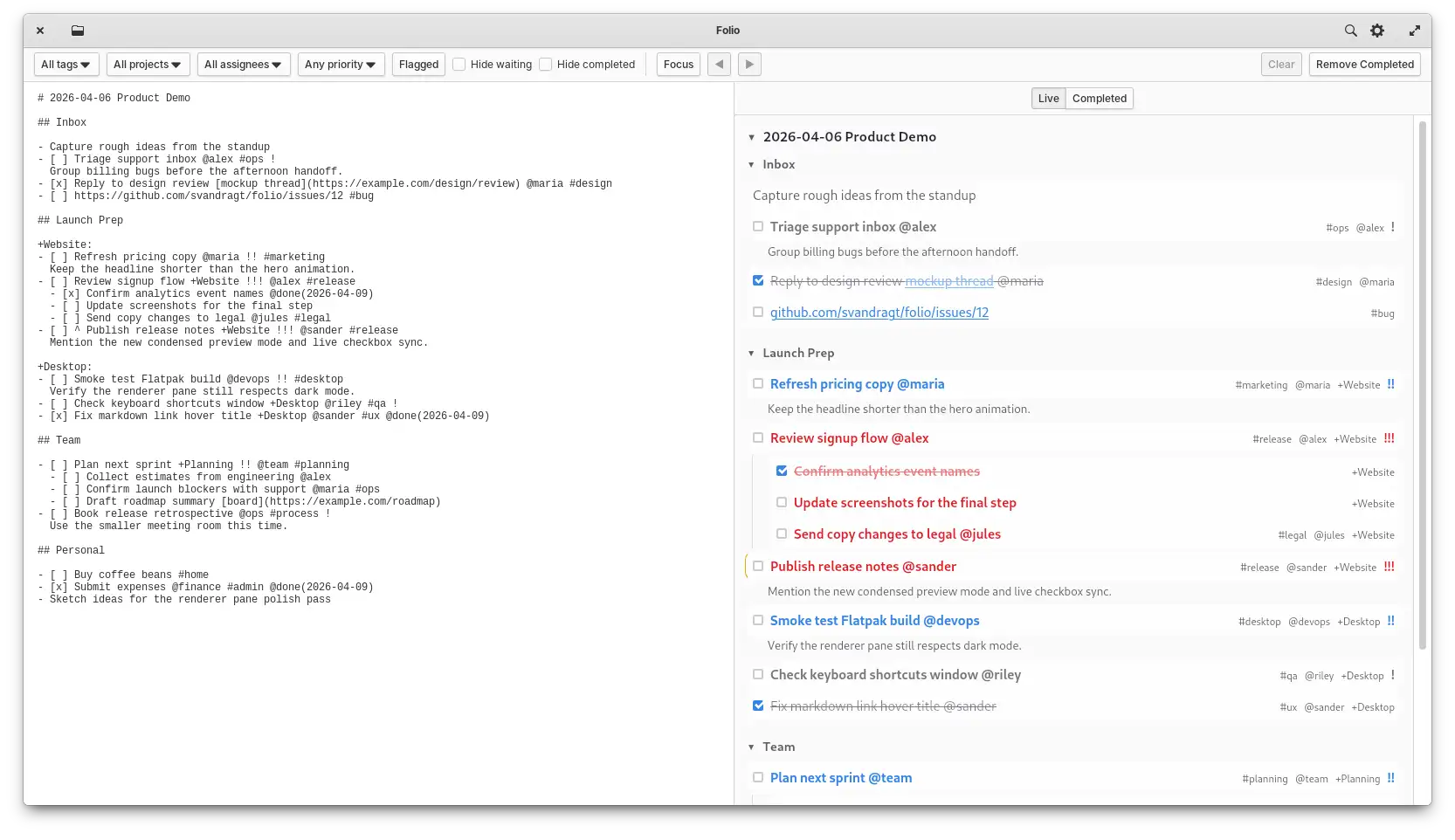
Write markdown in the editor, watch it render live beside you. Your todos live in files you own — no database, no cloud, no lock-in.
Folio is a focused tool — a two-pane markdown editor built specifically for daily task management.
Your todos are .todo or .md files. Open them in any editor, sync with any tool, or just read them in a terminal.
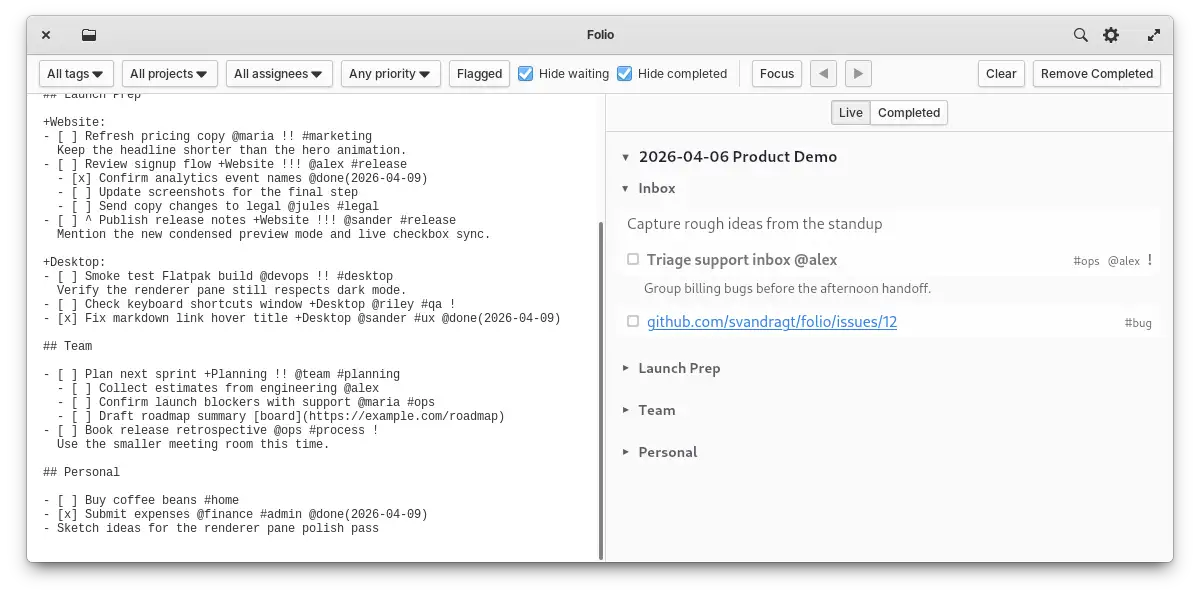
Edit on the left, see a rendered preview on the right. Both sides stay in sync — tick a checkbox in the preview and the source updates instantly.
Tags #work, assignees @alice, priorities !!!, projects +Backend, flagged tasks ^, and waiting tasks ? — all inline, all plain text.
Filter by tag, project, assignee, priority, flagged state, waiting state, or completion. Focus mode can lock the preview to the heading at the cursor while keeping the rest of the document lightly faded for context.
Date and day headings collapse in the rendered view, letting you hide finished days and focus on what's current.
Changes save automatically. Reopen Folio and it picks up exactly where you left off — same file, same scroll position.
Lists continue automatically on Enter, Tab indents whole task blocks, and Ctrl+Alt+↑↓ reorders tasks without touching the mouse.
Undo and redo span both the editor and checkbox interactions from the rendered pane — nothing gets lost.
Folio's format is plain markdown. A handful of inline conventions add metadata without breaking readability in any other editor.
| Syntax | Meaning |
|---|---|
| - [ ] task | Unchecked task |
| - [x] task | Completed task |
| - item | Plain list item |
| - [ ] child | Nested task or note |
| #tag | Tag |
| @name | Assignee |
| ! !! !!! | Low / medium / high priority |
| +Project | Inline project |
| +Project: | Project section header |
| ^ after - [ ] | Flagged task |
| ? after - [ ] | Waiting task |
| # / ## | Structural headings |
Real screenshots from the app, showing the core workflows and UI states.
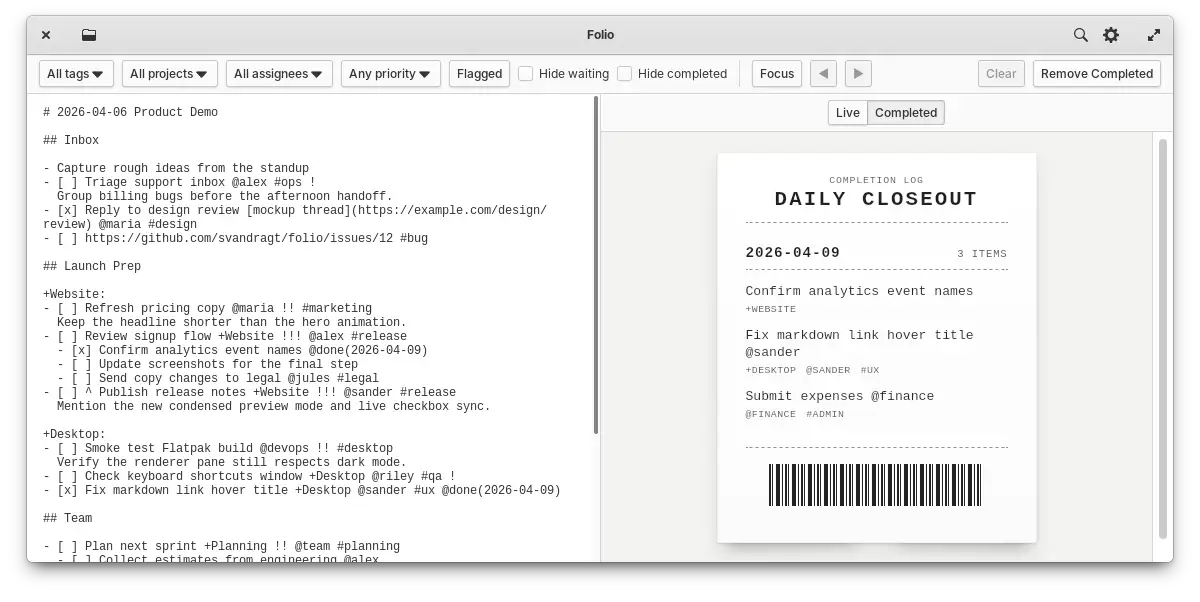
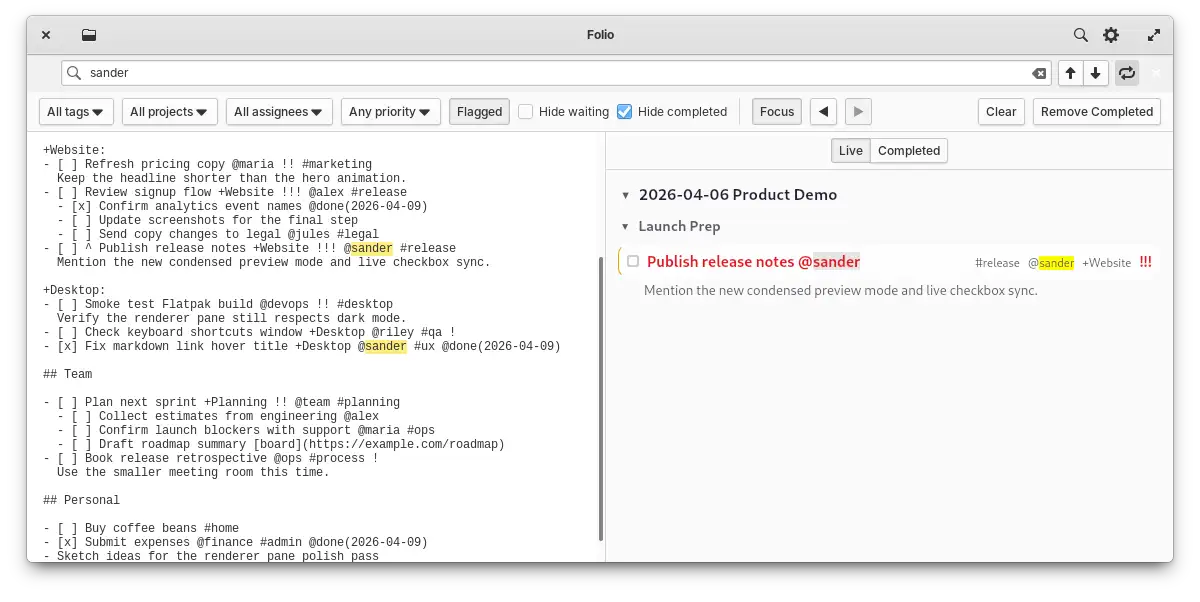
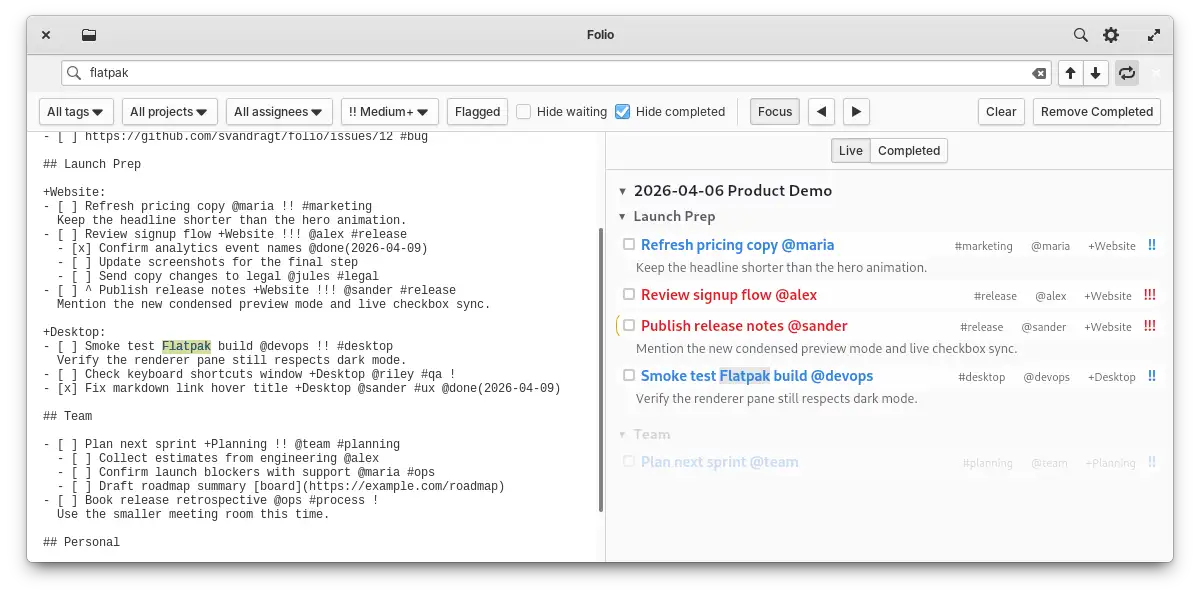
Folio is built for keyboard-first workflows. Every common action has a shortcut so your hands never have to leave the keys.
Folio's source is free under the GPL-3.0. Buy the ready-made Flatpak, or build it yourself. Either way, your files stay yours.